End-to-End TypeScript Types in MCP Apps: From Zod Schema to React Component (August 2026)
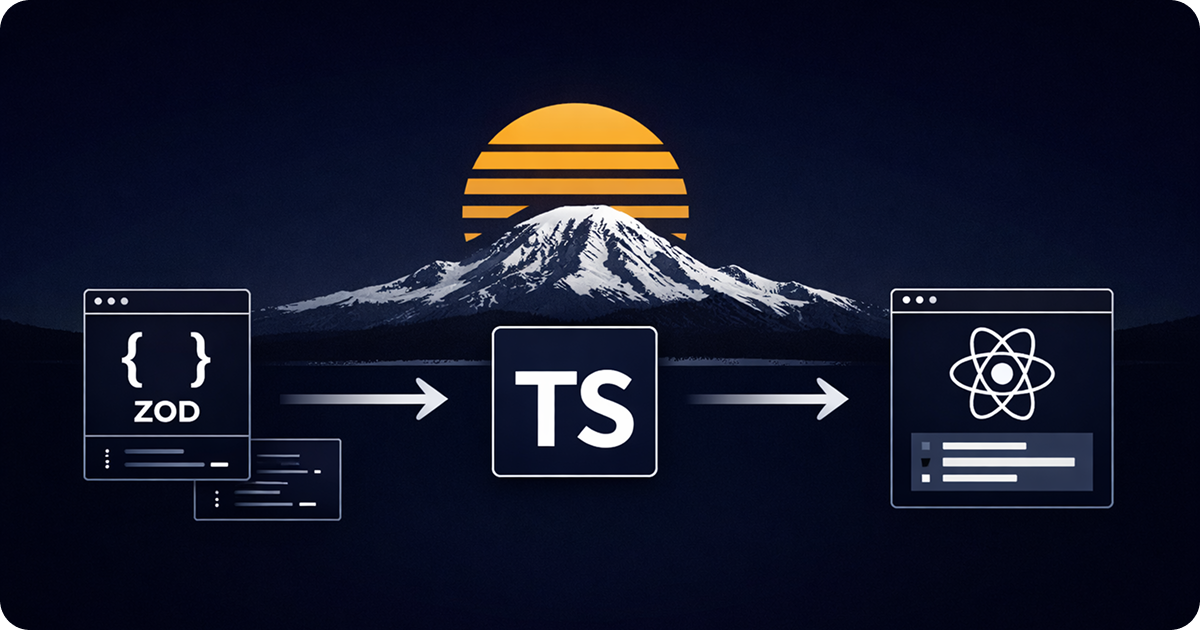
End-to-end TypeScript types in an MCP App: from Zod schema to React component.
TL;DR: Define runtime input and output schemas, infer TypeScript types from them, return matching structuredContent, and pass those types to useToolData<Input, Output>(). TypeScript checks your code, while the schemas protect the network boundary.
An MCP App moves data through four systems: the model chooses a tool, the host sends arguments, the MCP server returns a result, and a sandboxed UI renders that result. A type error at any handoff may appear as a failed tool call, an empty component, or a view that works in one host and breaks in another.
The fix is one contract with two forms. Runtime schemas describe data on the wire, and TypeScript types describe the same data in your source. Derive the types from the schemas so the two forms cannot drift.
This guide uses Zod and React with sunpeak, but most of the contract applies to any MCP App built with the official MCP Apps SDK and MCP TypeScript SDK.
The Four Type Boundaries
The full path looks like this:
model and host
  -> inputSchema validates tool arguments at runtime
  -> inferred input type checks the handler
  -> outputSchema validates structuredContent at runtime
  -> inferred output type checks the React component
Each boundary has a separate job:
| Boundary | Runtime contract | TypeScript contract |
|---|---|---|
| Host to server | inputSchema | Handler argument type |
| Server to host | outputSchema | Handler result type |
| Host to app | MCP Apps notifications | useToolData<Input, Output> |
| App to server | Tool registration and result schema | Typed wrapper around app-initiated tool calls |
TypeScript disappears after compilation, so it cannot validate JSON from another process. The runtime schema remains available to the MCP server and host.
Define Input Once
A sunpeak tool file exports tool, schema, outputSchema, and a default handler. The schema export is a plain object whose values are Zod schemas. sunpeak turns that object into the MCP tool’s inputSchema.
import { z } from 'zod';
import type { AppToolConfig, ToolHandlerExtra } from 'sunpeak/mcp';

export const tool: AppToolConfig = {
  resource: 'albums',
  title: 'Show Albums',
  description: 'Show photo albums that match an optional category or search term',
  annotations: {
    readOnlyHint: true,
    destructiveHint: false,
    openWorldHint: false,
  },
};

export const schema = {
  category: z.string().optional().describe('Album category, such as travel or family'),
  search: z.string().optional().describe('Text to match in an album title'),
  limit: z.number().int().min(1).max(50).optional().describe('Maximum albums to return'),
};

export type AlbumsInput = z.infer<z.ZodObject<typeof schema>>;
The descriptions matter because the model uses them when it creates a tool call. Constraints such as .min(1) and .max(50) also stop invalid values at runtime instead of forcing every handler branch to repair them.
Use .optional() for arguments the model may omit. Apply defaults in the handler after validation, such as const limit = args.limit ?? 12, so the wire type still reflects that the caller can leave the field out.
Define the Output Contract
An input schema alone covers only half of the tool. Add outputSchema when the handler returns structuredContent:
const albumSchema = z.object({
  id: z.string(),
  title: z.string(),
  coverUrl: z.string().url(),
  photoCount: z.number().int().nonnegative(),
});

export const outputSchema = {
  albums: z.array(albumSchema),
  total: z.number().int().nonnegative(),
};

export type AlbumsData = z.infer<z.ZodObject<typeof outputSchema>>;
This is a useful single source of truth:
outputSchemadescribes the result to MCP clients at runtime.AlbumsDatachecks the handler and component at build time.- Tests can parse fixtures with the same Zod shape.
The current MCP TypeScript SDK accepts Standard Schema libraries. Zod and ArkType work directly, while Valibot needs a JSON Schema adapter. sunpeak’s tool-file convention uses Zod field objects, which keeps these exports short.
There is one version difference to watch. The MCP TypeScript SDK v2 registration API takes a complete schema such as z.object({ ... }). sunpeak 0.20 tool modules export the inner Zod field object because the framework wraps it when it registers the tool. Use the form required by the layer you are calling instead of copying a raw sunpeak shape into server.registerTool.
Prefer type aliases for structured content
The MCP SDK defines structuredContent as an object with string keys. TypeScript does not give a named interface an implicit string index signature, so an otherwise correct interface can fail assignment to an MCP result.
Use a type alias:
type AlbumsData = {
  albums: Album[];
  total: number;
};
Zod’s z.infer returns a type alias, so the inferred example already follows this rule. The current MCP TypeScript SDK tool guide shows the full-schema form for inputSchema, outputSchema, and structuredContent.
Return Data for the Model and the App
The tool result can carry three different data channels:
contententers model context and gives text-only clients a fallback.structuredContententers model context and is also sent to the app._metais sent to the app but kept out of model context.
Return a concise text summary with the typed data:
type AlbumRecord = z.infer<typeof albumSchema>;

async function findAlbums(input: AlbumsInput): Promise<AlbumRecord[]> {
  // Replace this with a database or API call.
  return [];
}

export default async function handler(
  args: AlbumsInput,
  _extra: ToolHandlerExtra,
) {
  const albums = await findAlbums(args);

  const structuredContent: AlbumsData = {
    albums,
    total: albums.length,
  };

  return {
    content: [
      {
        type: 'text' as const,
        text: `Found ${structuredContent.total} albums.`,
      },
    ],
    structuredContent,
  };
}
The explicit AlbumsData annotation catches missing or misspelled fields before the server starts. The runtime outputSchema catches a bad value that comes from a database, remote API, cache, or unsafe cast.
Do not put UI-only payloads into structuredContent just because the component needs them. Large lookup maps, display hints, and other data the model does not need can go in result _meta. The host and component still receive _meta, so it is not a place for passwords, access tokens, or other secrets. See the tool result data guide for concrete examples.
Carry the Types into React
Use type-only imports in the resource component. A type-only import disappears from the browser bundle, so importing a type from the server tool file does not pull Zod or handler code into the app.
import { useToolData } from 'sunpeak';
import type { AlbumsData, AlbumsInput } from '../../tools/show-albums';

export function Albums() {
  const {
    output,
    input,
    inputPartial,
    isLoading,
    isError,
    isCancelled,
    cancelReason,
  } = useToolData<AlbumsInput, AlbumsData>();

  if (isLoading) {
    const query = inputPartial?.category ?? inputPartial?.search;
    return <LoadingState label={query ? `Loading ${query} albums` : 'Loading albums'} />;
  }

  if (isError) {
    return <ErrorState message="The album search failed." />;
  }

  if (isCancelled) {
    return <CancelledState reason={cancelReason ?? 'The request was cancelled.'} />;
  }

  const albums = output?.albums ?? [];

  if (albums.length === 0) {
    return <EmptyState query={input?.search} />;
  }

  return <AlbumGrid albums={albums} total={output?.total ?? albums.length} />;
}
The first generic types both input and inputPartial. The second generic types output, which is the result’s structuredContent.
inputPartial arrives while the host is streaming tool arguments. In current sunpeak types it uses the same generic as input, but at runtime only some fields may have arrived. Keep fields that a partial-input UI reads optional, use optional chaining, and never treat a streamed value as complete input.
The state booleans do not narrow output automatically. Read output defensively even after handling loading, error, and cancellation. This also covers a valid tool result that has no structuredContent.
Keep Server Code out of the UI Bundle
For a small app, exporting inferred types from the tool file is enough. A larger app can move schemas and types into a shared contract module:
src/
  contracts/
    albums.ts
  tools/
    show-albums.ts
  resources/
    albums/
      albums.tsx
      components/
The server imports runtime schemas and types:
import { albumsInputSchema, albumsOutputSchema } from '../contracts/albums';The component imports only types:
import type { AlbumsInput, AlbumsData } from '../../contracts/albums';Check the built resource bundle if you change this pattern. A normal import of a module that exports Zod values can add Zod and server-only dependencies to the browser asset. import type prevents that when the component needs only static types.
Validate the Wire Boundary
Compile-time checks catch source mismatches:
const badResult: AlbumsData = {
  albums: [],
  // TypeScript reports the missing total field.
};
They cannot protect against runtime data:
const response = await fetch('https://api.example.com/albums');
const untrusted = await response.json();
Parse external data before returning it:
const albumsDataSchema = z.object(outputSchema);
const structuredContent = albumsDataSchema.parse(untrusted);

return {
  content: [{ type: 'text' as const, text: `Found ${structuredContent.total} albums.` }],
  structuredContent,
};
Choose where to parse based on the source. Database clients with generated types may already give strong static checks, but remote APIs, user-controlled JSON, old cache entries, and unknown values still need runtime validation.
Type App-Initiated Tool Calls
An MCP App can call a server tool after a user action when the host grants that capability. The protocol result is generic, so wrap repeated calls with a small typed function and validate the response:
import type { App } from '@modelcontextprotocol/ext-apps';
import {
  albumsDataSchema,
  type AlbumsData,
  type AlbumsInput,
} from '../../contracts/albums';

async function refreshAlbums(app: App, input: AlbumsInput): Promise<AlbumsData> {
  const result = await app.callServerTool({
    name: 'show-albums',
    arguments: input,
  });

  return albumsDataSchema.parse(result.structuredContent);
}
This runtime import adds the schema library to the app bundle, which is a reasonable cost when the component must validate server data itself. Capability negotiation still controls whether the call is available. A TypeScript type cannot grant a host capability, and it cannot prove that an older or custom server returned the promised data.
Test the Contract, Not Just the Handler
A direct handler test is the fastest check:
import { expect, it } from 'vitest';
import { z } from 'zod';
import handler, { outputSchema } from './show-albums';

const extra = {} as Parameters<typeof handler>[1];
const albumsDataSchema = z.object(outputSchema);

it('returns a valid typed result and text fallback', async () => {
  const result = await handler({ category: 'travel', limit: 5 }, extra);

  expect(() => albumsDataSchema.parse(result.structuredContent)).not.toThrow();
  expect(result.content[0]).toMatchObject({ type: 'text' });
});
That test should sit inside a wider set:
- Run TypeScript across the server and resource projects.
- Test schema defaults, optional fields, bounds, and invalid arguments.
- Parse every handler’s
structuredContentwith its output schema. - Render loading, partial input, success, empty, error, and cancellation states.
- Run the app against the host runtimes you support.
The final step catches differences that shared TypeScript types cannot see, such as notification order, app capability support, iframe policy, resource loading, and display behavior. sunpeak provides local host replicas, hot reload, Inspector controls, and CI testing so you can exercise these states without repeatedly publishing the MCP server or spending host credits. The MCP App regression testing guide covers that workflow.
A Practical Checklist
Before shipping an end-to-end typed MCP App:
- Derive handler input types from the runtime input schema.
- Define
outputSchemafor every tool that returnsstructuredContent. - Derive result types from the output schema instead of copying the shape.
- Use type aliases for named structured-content types.
- Return useful text
contentfor clients that do not render the app. - Keep model-relevant data in
structuredContentand UI-only data in_meta. - Use type-only imports in React resource code.
- Treat
inputPartialas incomplete at runtime. - Validate untrusted API, database, and cache data before returning it.
- Test protocol states and host behavior in addition to TypeScript.
These checks give the model, host, server, and component the same contract. When the contract changes, TypeScript points to the source files that need updates, runtime schemas reject bad wire data, and host tests catch behavior outside the type system.
Build the contract once, then use sunpeak’s MCP App framework and testing tools to run it across supported host replicas during local development and CI.
Get Started
npx sunpeak newFurther Reading
- MCP App outputSchema and structuredContent - define and validate typed tool results.
- MCP tool results - choose between content, structuredContent, and _meta.
- MCP TypeScript SDK migration guide - update server and schema patterns.
- React guide for MCP Apps - hooks, state, and component structure.
- Regression testing MCP Apps - cover protocol and host behavior in CI.
- sunpeak tool file reference
- sunpeak useToolData reference
- Official MCP Apps specification
- MCP TypeScript SDK tool and structured output guide
Frequently Asked Questions
How do I type the arguments in an MCP App tool handler?
Define the tool input with a runtime schema, then infer the handler type from that schema. In a sunpeak tool file, export a plain object of Zod fields as schema and derive the type with z.infer<z.ZodObject<typeof schema>>. This keeps the JSON Schema sent to the host and the TypeScript type used by the handler in sync.
Should an MCP tool define an outputSchema?
Yes when the tool returns structuredContent. outputSchema documents and validates the machine-readable result contract, helps clients understand the result shape, and catches server responses that drift from that contract. Return a text content block as a fallback for clients that do not render the app.
What is the difference between structuredContent and _meta in an MCP tool result?
structuredContent is visible to both the model and the MCP App UI, so it should contain the data both need. Result _meta is delivered to the app without entering model context, so it is better for UI-only data. Neither field should contain secrets because the host and app still receive them.
What are the generic types on useToolData?
useToolData<InputType, OutputType> uses InputType for input and inputPartial, and OutputType for output. output is the tool result structuredContent or null. inputPartial can arrive before the complete input, so every field that the loading UI reads should be optional and guarded even though the hook uses the same InputType for both fields.
Why should structuredContent use a type alias instead of an interface?
The MCP TypeScript SDK models structuredContent as a string-keyed object. A named interface does not always satisfy that index signature, while a type alias for the same object shape does. Zod inference already produces a type alias, which avoids this TypeScript compatibility issue.
Does TypeScript validate MCP data at runtime?
No. TypeScript checks your source at build time, then erases the types. Runtime schemas protect the protocol boundary where a host sends tool arguments and where a tool returns structured data. Test invalid inputs and malformed outputs as runtime cases, not only as type errors.
Can MCP Apps use schema libraries other than Zod?
The current MCP TypeScript SDK supports Standard Schema libraries. Zod and ArkType work directly, while Valibot needs a JSON Schema adapter. sunpeak tool files currently use plain objects of Zod fields for schema and outputSchema exports, so Zod is the direct path when building with sunpeak.
How should I test an end-to-end typed MCP App contract?
Add type checking, direct tool-handler tests, runtime schema tests, and rendered UI tests. Assert that the handler result matches outputSchema, structuredContent contains the expected fields, text content provides a useful fallback, and the React view handles loading, partial input, success, error, cancellation, and empty results.
