MCP App CSP Domains: connectDomains vs resourceDomains vs frameDomains (August 2026)
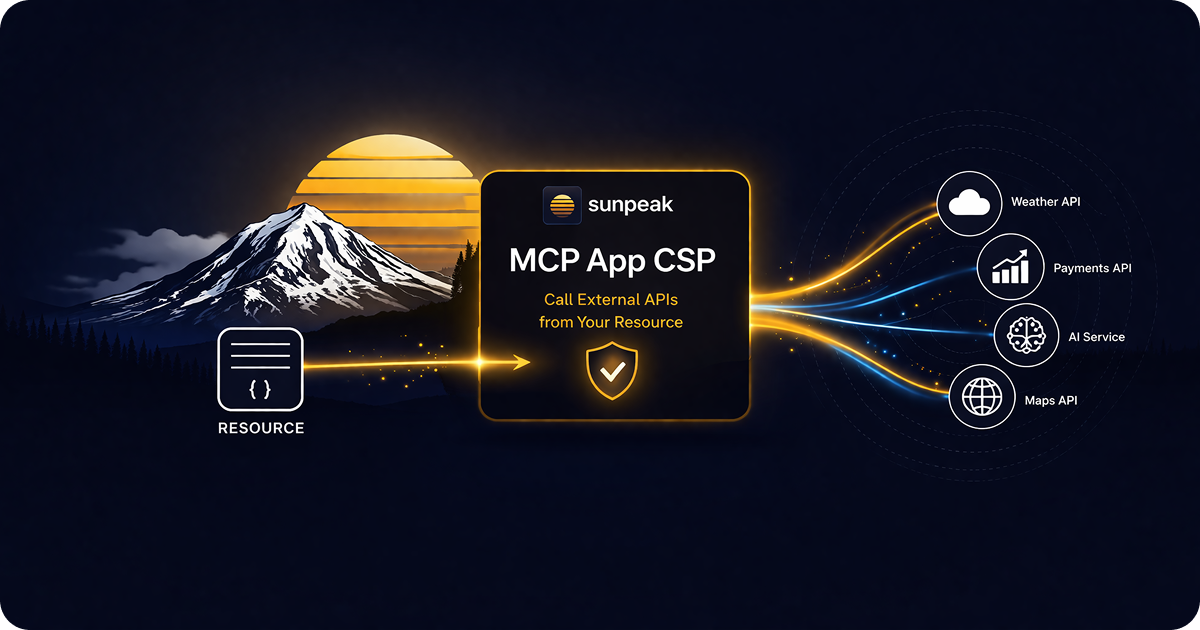
Configure CSP domains to control what your MCP App resource can load and connect to.
TL;DR: Put external origins in _meta.ui.csp on the UI resource. Use connectDomains for browser connections, resourceDomains for assets, and frameDomains for nested iframes. Treat scheme and port as part of the origin, allow redirect destinations, configure CORS on APIs, and keep private credentials on the MCP server.
MCP Apps run inside host-controlled sandboxed iframes. The host builds a Content Security Policy from resource metadata, and the browser blocks undeclared network access before your component can use it. This is why a valid API URL, image, font, or embed can work in a normal web app and fail inside a ChatGPT App or interactive Claude Connector.
The current stable MCP Apps specification defines four CSP domain lists. Three cover most apps, while baseUriDomains handles the less common <base> element case.
CSP Domain Quick Reference
| App behavior | Metadata field | CSP directive |
|---|---|---|
fetch, XHR, EventSource, WebSocket | connectDomains | connect-src |
| Scripts, styles, images, fonts, audio, video | resourceDomains | script-src, style-src, img-src, font-src, media-src |
| Nested iframes | frameDomains | frame-src |
Document <base href> | baseUriDomains | base-uri |
Omitted origins stay blocked. A host may make the policy stricter, but it must not add undeclared external domains. This makes resource metadata an allowlist request, not a promise that every host will grant the same access.
Where CSP Metadata Belongs
In the standard MCP Apps server API, CSP belongs on the resource content returned by resources/read:
import {
  registerAppResource,
  RESOURCE_MIME_TYPE,
} from '@modelcontextprotocol/ext-apps/server';

registerAppResource(
  server,
  'Usage dashboard',
  'ui://usage/dashboard.html',
  { description: 'Interactive account usage dashboard' },
  async () => ({
    contents: [
      {
        uri: 'ui://usage/dashboard.html',
        mimeType: RESOURCE_MIME_TYPE,
        text: dashboardHtml,
        _meta: {
          ui: {
            csp: {
              connectDomains: ['https://api.example.com'],
              resourceDomains: ['https://cdn.example.com'],
            },
          },
        },
      },
    ],
  }),
);
Content-item metadata matters because the host enforces the policy when it loads that exact HTML. Listing-level resource metadata can help discovery, but content-item values take precedence for rendering.
sunpeak co-locates the same metadata with the React resource and moves it into the MCP resource response:
import type { ResourceConfig } from 'sunpeak';

export const resource: ResourceConfig = {
  title: 'Usage dashboard',
  description: 'Interactive account usage dashboard',
  mimeType: 'text/html;profile=mcp-app',
  _meta: {
    ui: {
      csp: {
        connectDomains: ['https://api.example.com'],
        resourceDomains: ['https://cdn.example.com'],
      },
    },
  },
};
Put CSP on the resource, not the tool. Tool metadata links a tool to a ui:// resource; resource metadata tells the host how to run the iframe.
connectDomains for Runtime Connections
connectDomains covers APIs and streaming connections made by the component:
csp: {
  connectDomains: [
    'https://api.example.com',
    'https://events.example.com',
    'wss://realtime.example.com',
  ],
}
Origins are exact security boundaries. These are different origins and may need separate entries:
https://api.example.comhttps://api.example.com:8443wss://api.example.comhttps://v2.api.example.com
Do not include paths, query strings, or fragments. https://api.example.com/v1 is not an origin entry. Use https://api.example.com.
Redirects need every connection origin
A fetch can start on an allowed origin and redirect somewhere else:
https://api.example.com/export
  -> https://downloads.example-cdn.com/signed/file.json
Allow the final connection origin too:
connectDomains: [
  'https://api.example.com',
  'https://downloads.example-cdn.com',
]
Signed URLs, regional API endpoints, analytics collectors, and upload services commonly add origins after the first request. Record the full production network trace before finalizing the list.
resourceDomains for Assets
resourceDomains covers content loaded by HTML and CSS:
csp: {
  resourceDomains: [
    'https://cdn.example.com',
    'https://images.example.com',
    'https://fonts.example.com',
  ],
}
This one list feeds several CSP directives, so adding an origin can permit more than images. If a CDN only needs to serve images but can also serve JavaScript, the host-generated policy may still place it in script-src. Use a dedicated asset origin where possible, bundle third-party code into the app, and keep the list small.
An origin may need to appear in both connectDomains and resourceDomains. A map app might fetch JSON and vector tiles from one service, then render raster images from the same host. CSP checks the request type against a directive, not whether the hostname appears anywhere in the policy.
csp: {
  connectDomains: ['https://maps.example.com'],
  resourceDomains: ['https://maps.example.com'],
}
frameDomains for Nested Iframes
frameDomains allows an iframe inside the MCP App iframe:
csp: {
  frameDomains: ['https://embed.example.com'],
}
Without this list, the secure default is frame-src 'none'. Adding a domain only handles your app’s CSP. The embedded site must also permit framing through its Content-Security-Policy: frame-ancestors or X-Frame-Options headers.
Nested frames add another security and reliability boundary. The child frame can track users, show its own UI, fail because of third-party cookies, or reject the sandbox origin. Prefer a normal component or a host-mediated external link when an embed does not add enough value.
OpenAI’s current plugin reference says frameDomains opts ChatGPT UI into iframe use and triggers stricter review. Test the same resource in every host you support because host policy can be stricter than the MCP Apps baseline.
baseUriDomains Is Not Navigation
baseUriDomains controls the document’s <base href> element:
csp: {
  baseUriDomains: ['https://cdn.example.com'],
}
A base URL changes how every relative URL resolves, so most apps should omit this field and keep the default base-uri 'self'. It does not allow API calls, assets, frames, or external links.
Use the MCP Apps host link API for navigation. ChatGPT also has one compatibility rule that is easy to miss: trusted openExternal redirect targets still use _meta["openai/widgetCSP"].redirect_domains. The standard _meta.ui.csp object has no redirectDomains field. The external navigation guide covers that separate allowlist.
ChatGPT Compatibility Metadata
OpenAI now prefers standard _meta.ui.csp for new plugin UI. The legacy _meta["openai/widgetCSP"] object remains available with snake_case keys, and redirect_domains still has no standard equivalent:
_meta: {
  ui: {
    csp: {
      connectDomains: ['https://api.example.com'],
      resourceDomains: ['https://cdn.example.com'],
      frameDomains: ['https://embed.example.com'],
    },
  },
  'openai/widgetCSP': {
    connect_domains: ['https://api.example.com'],
    resource_domains: ['https://cdn.example.com'],
    frame_domains: ['https://embed.example.com'],
    redirect_domains: ['https://accounts.example.com'],
  },
}
Keep _meta.ui.csp as the cross-host source of truth. Add the compatibility object only for ChatGPT behavior that still needs it or when supporting an older integration. Generate both objects from one reviewed domain config so the lists do not drift.
Exact Origins Beat Broad Wildcards
The MCP Apps specification documents wildcard subdomains for resourceDomains:
resourceDomains: ['https://*.example.com']Use a wildcard only when the service genuinely rotates through subdomains you control. It grants access to current and future matching subdomains, including one that may later host unrelated or less trusted content. Prefer the observed production origins.
Never put these values in a domain list:
*'unsafe-inline'or'unsafe-eval'data:orblob:as a substitute for an external origin- a URL with a path, query string, or fragment
- a string containing extra CSP directives
The host owns the final CSP. Resource metadata supplies origins, not raw CSP syntax.
CSP and CORS Must Both Pass
CSP answers: can the iframe send this request?
CORS answers: will the browser let this iframe read the API response?
For a browser request from a dedicated app origin, the API might return:
Access-Control-Allow-Origin: https://widgets.example.com
Vary: Origin
A request with Authorization, custom headers, or a non-simple method may trigger an OPTIONS preflight. The API must allow the requested method and headers before the browser sends the real request.
Do not allowlist the ChatGPT or Claude page origin. The request comes from the sandboxed app origin. If the API requires an exact origin, request a stable _meta.ui.domain value that the host supports. The standard makes this field host-dependent. sunpeak can resolve a per-host domain map and computes defaults for known ChatGPT and Claude clients, but a live-host test is still the final check.
Do not combine Access-Control-Allow-Origin: * with credentialed browser requests. Browsers reject that combination. For private APIs, a server tool is usually simpler and safer.
Keep Credentials on the MCP Server
The old shortcut of passing an API token in structuredContent is unsafe. structuredContent is available to the model, host, and component. Tool result _meta stays out of model context, but the host and component still receive it, so _meta is not encrypted credential storage.
Use this architecture for private data:
- The host calls an MCP tool, or the app calls an app-visible server tool through the bridge.
- The MCP server authenticates the user and checks authorization.
- The server calls the private API with its stored credential.
- The tool returns only the data the model or component needs.
With sunpeak, app-initiated calls use useCallServerTool:
import { useCallServerTool } from 'sunpeak';

export function RefreshUsageButton() {
  const callServerTool = useCallServerTool();

  async function refresh() {
    const result = await callServerTool({
      name: 'refresh-usage',
      arguments: {},
    });

    // Render result data. The API credential stayed on the MCP server.
    return result?.structuredContent;
  }

  return <button onClick={refresh}>Refresh usage</button>;
}
Browser fetch remains useful for public data, media, tile services, short-lived uploads, and services designed for browser clients. Keep long-lived credentials, OAuth refresh tokens, and privileged API keys on the server. See the data fetching guide for the tradeoffs.
Development CSP Is Not Production CSP
sunpeak injects its local Vite HTTP origin into resourceDomains and connectDomains, plus its HMR WebSocket origin into connectDomains. This lets the development bundle and hot reload work inside the local sandbox.
It does not allow every localhost service. If the component calls http://localhost:3001, declare that origin yourself during local development. More importantly, inspect the production bundle and production network trace. Development injection can make the framework runtime work while an external image, font, or API origin is still missing from the resource config.
A self-contained production HTML bundle reduces CSP work because scripts and styles do not need third-party origins. External APIs, images, fonts, media, and frames still need explicit declarations.
Test the Policy at Three Layers
1. Assert resource metadata
Protect the source-of-truth allowlist with a direct metadata test:
import { describe, expect, it } from 'vitest';
import { resource } from './dashboard';

describe('dashboard resource security metadata', () => {
  it('keeps the reviewed production CSP', () => {
    expect(resource._meta?.ui?.csp).toEqual({
      connectDomains: ['https://api.example.com'],
      resourceDomains: ['https://cdn.example.com'],
    });
  });
});
Assert exact arrays where a security review expects an exact allowlist. A test that only checks toContain() will not catch an accidental broad origin. Add a protocol test against the production server to confirm resources/list and resources/read preserve the metadata. The production boundary matters because sunpeak adds local framework origins in development mode.
2. Exercise the sandbox in a browser
Render deterministic fixtures in each host replica and verify:
- allowed API requests finish and render data
- undeclared API requests fail without reaching the endpoint
- images and fonts load from approved origins
- nested frames are blocked unless declared
- redirect destinations are included
- the UI explains CSP, CORS, timeout, and offline failures
Use Playwright routing to replace external APIs with stable responses, then inspect the iframe console and failed network requests. Test both an allowed and denied origin so the test proves enforcement rather than only happy-path rendering.
3. Run a production and live-host smoke test
Build the real HTML resource, serve it through the MCP server, and repeat the browser checks without Vite injection. Then keep a small live test for each supported host. Local replicas provide deterministic coverage, while the live test catches a host policy change, submission rule, dedicated-domain mismatch, or production redirect that local fixtures did not reproduce.
sunpeak’s Inspector and testing framework run MCP resources in replicated host sandboxes, so these checks can run locally and in CI without repeated manual refreshes or host credits. The regression testing guide shows how to split protocol, E2E, visual, and live coverage.
Pre-Ship CSP Checklist
- List origins with their exact scheme and port.
- Include every final redirect, WebSocket, upload, download, and regional endpoint.
- Put APIs in
connectDomains, assets inresourceDomains, and embeds inframeDomains. - Use
baseUriDomainsonly when the document has a deliberate external base URL. - Keep wildcards and third-party script origins out unless they are required and reviewed.
- Configure CORS for the iframe origin, including preflight behavior.
- Keep long-lived credentials on the MCP server.
- Mirror ChatGPT compatibility metadata only where it is still needed.
- Test exact metadata, allowed traffic, blocked traffic, and the production bundle.
- Run a small live-host check because hosts may enforce stricter policy.
Start with the narrowest policy that supports the app, then add an origin only when a production network trace proves it is required. Use the sunpeak MCP App framework to keep resource metadata next to the UI and the testing framework to verify the same policy across supported host replicas.
Get Started
npx sunpeak newFurther Reading
- MCP App resource metadata - CSP, permissions, domain, and compatibility fields
- MCP App iframe sandbox and CORS - origins, storage, and bridge boundaries
- Fetching data in MCP Apps - choose browser fetch or server tools
- MCP App navigation and external links - host-mediated link behavior
- MCP App authentication - OAuth and server-side token handling
- Security testing MCP Apps - CSP, auth, annotations, and input validation
- Regression testing MCP Apps across host runtimes
- sunpeak CSP and CORS reference
- sunpeak resource metadata reference
- Official MCP Apps security specification
- Official MCP Apps network and CORS patterns
- OpenAI plugin resource metadata reference
Frequently Asked Questions
What is the difference between connectDomains and resourceDomains in MCP App CSP?
connectDomains allows runtime connections made with fetch, XMLHttpRequest, EventSource, and WebSocket. resourceDomains allows external scripts, stylesheets, images, fonts, audio, and video. A service can require both lists when the app fetches JSON from one origin and loads images or tiles from another. Each entry should be an origin with its scheme and optional port, not a path.
When does an MCP App need frameDomains?
Use frameDomains only when the app renders a nested iframe. Without it, the MCP Apps secure default is frame-src none. Each embedded origin must also permit framing through its own headers. ChatGPT documents that adding frameDomains opts a plugin into iframe use and stricter review, so prefer host-mediated links when an embed is not necessary.
What does baseUriDomains do in MCP App CSP?
baseUriDomains maps to the CSP base-uri directive and controls which origins a document base element may use to resolve relative URLs. It does not allow fetch requests, assets, nested frames, or external navigation. Most apps should omit it and keep the default base-uri self behavior.
Why is fetch blocked even though connectDomains is set?
Check the final request origin after redirects, including the scheme and port, then check CORS. CSP must allow every connection origin and the API must allow the iframe origin with Access-Control-Allow-Origin. Requests with custom headers or non-simple methods may also need a successful OPTIONS preflight.
Can MCP App CSP domains use wildcards?
The MCP Apps specification documents wildcard subdomains for resourceDomains, such as https://*.example.com. Prefer exact origins because hosts can apply stricter rules and a wildcard trusts every matching subdomain. Never use a bare wildcard, CSP keywords, paths, query strings, or fragments as domain entries.
How should ChatGPT Apps declare CSP metadata?
Use the standard _meta.ui.csp object on resource contents. ChatGPT also supports the legacy _meta["openai/widgetCSP"] key with snake_case fields. Keep that compatibility key only when needed, especially because redirect_domains is still required there for trusted openExternal redirect targets. Standard _meta.ui.csp has no redirectDomains field.
Should an MCP App send API tokens to the iframe?
Keep long-lived credentials and OAuth tokens on the MCP server. Fetch private data in a server tool or let the app call an app-visible server tool through the host bridge. structuredContent is visible to the model, host, and app. Result _meta stays out of model context but still reaches the host and app, so it is not a secret store.
How do I test MCP App CSP across hosts?
Assert the exact resource metadata at the protocol level, then render the app in separate host replicas and verify allowed requests, blocked requests, redirects, assets, and CORS failures. Add a small live-host smoke test because a host may enforce a stricter policy than the standard. Inspect the production bundle so development-only origin injection does not hide a missing production domain.
