> ## Documentation Index
> Fetch the complete documentation index at: https://sunpeak.ai/docs/llms.txt
> Use this file to discover all available pages before exploring further.
# MCP Server
> Serve your MCP Apps to AI hosts like ChatGPT.
 ## Overview
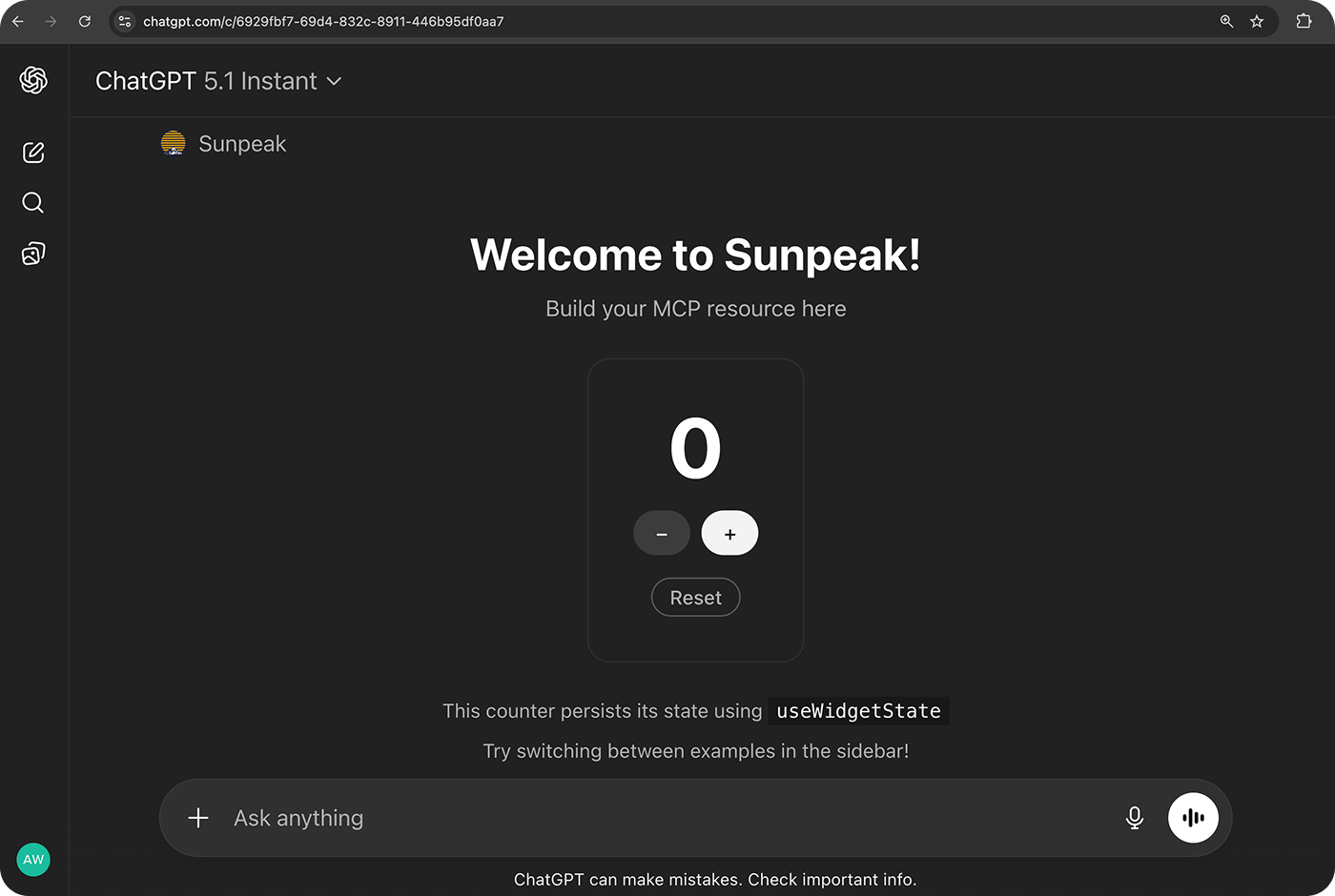
The [MCP (Model Context Protocol)](/mcp-apps/mcp/overview) server lets you serve your apps to AI hosts like ChatGPT and Claude. Once running, the host can discover and render your MCP Apps.
During development, `sunpeak dev` runs an MCP server that serves simulation fixture data. For production, use `sunpeak build` followed by `sunpeak start` to run your real tool handlers — see the [Deployment Guide](/app-framework/guides/deployment).
## What is MCP?
MCP is the protocol AI hosts use to communicate with your servers. It handles [tool](/mcp-apps/mcp/tools) and [resource](/mcp-apps/mcp/resources) registration, discovery, and invocation.
Learn more in the [MCP primer](/mcp-apps/mcp/overview) or the [Model Context Protocol documentation](https://modelcontextprotocol.io/).
For details on how MCP Apps extends the protocol with interactive UIs, see the [MCP Apps documentation](/mcp-apps/introduction).
## Quick Start
Start the development server:
```bash theme={null}
pnpm dev
```
```bash theme={null}
npm run dev
```
```bash theme={null}
yarn dev
```
This starts both the inspector and an MCP server with Hot Module Reload.
The MCP server runs on port `8000` and serves simulation fixture data.
Build and start the production server:
```bash theme={null}
pnpm build && pnpm start
```
```bash theme={null}
npm run build && npm run start
```
```bash theme={null}
yarn build && yarn start
```
This compiles your tools, resources, and optional auth, then starts a production MCP server with real handlers.
Then connect to a host using a tunnel. See [runMCPServer API Reference](/app-framework/run-mcp-server#connecting-to-chatgpt) for the full connection flow.
## Dive Deeper
Complete configuration options and host connection guide.
Build, start, and deploy your app to production.
Complete simulation documentation.
## Overview
The [MCP (Model Context Protocol)](/mcp-apps/mcp/overview) server lets you serve your apps to AI hosts like ChatGPT and Claude. Once running, the host can discover and render your MCP Apps.
During development, `sunpeak dev` runs an MCP server that serves simulation fixture data. For production, use `sunpeak build` followed by `sunpeak start` to run your real tool handlers — see the [Deployment Guide](/app-framework/guides/deployment).
## What is MCP?
MCP is the protocol AI hosts use to communicate with your servers. It handles [tool](/mcp-apps/mcp/tools) and [resource](/mcp-apps/mcp/resources) registration, discovery, and invocation.
Learn more in the [MCP primer](/mcp-apps/mcp/overview) or the [Model Context Protocol documentation](https://modelcontextprotocol.io/).
For details on how MCP Apps extends the protocol with interactive UIs, see the [MCP Apps documentation](/mcp-apps/introduction).
## Quick Start
Start the development server:
```bash theme={null}
pnpm dev
```
```bash theme={null}
npm run dev
```
```bash theme={null}
yarn dev
```
This starts both the inspector and an MCP server with Hot Module Reload.
The MCP server runs on port `8000` and serves simulation fixture data.
Build and start the production server:
```bash theme={null}
pnpm build && pnpm start
```
```bash theme={null}
npm run build && npm run start
```
```bash theme={null}
yarn build && yarn start
```
This compiles your tools, resources, and optional auth, then starts a production MCP server with real handlers.
Then connect to a host using a tunnel. See [runMCPServer API Reference](/app-framework/run-mcp-server#connecting-to-chatgpt) for the full connection flow.
## Dive Deeper
Complete configuration options and host connection guide.
Build, start, and deploy your app to production.
Complete simulation documentation.