MCP Apps vs A2UI: Which Agent UI Standard Should You Use? (June 2026)
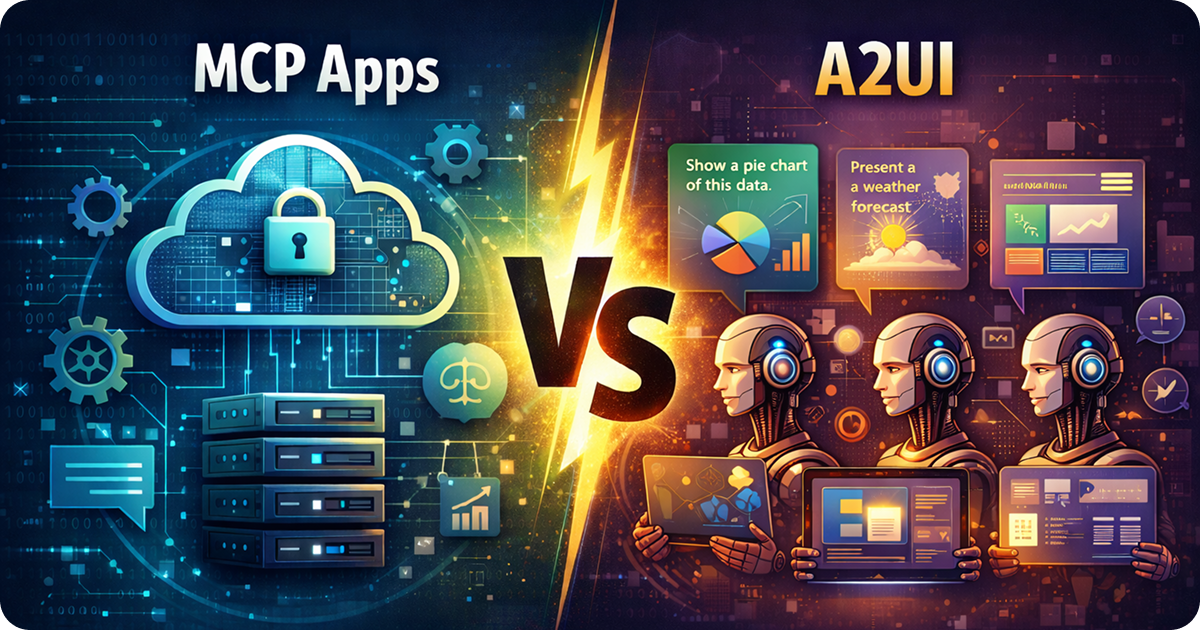
MCP Apps and A2UI take different paths to agent UI: developer-built app surfaces versus agent-generated interfaces.
Agent UI has split into two useful patterns. MCP Apps let developers ship coded web apps that agents can invoke inside conversations. A2UI lets agents generate declarative UI from a component catalog, then lets the client render that UI safely.
Those sound similar until you are the person shipping the integration. With MCP Apps, you own the app. With A2UI, the agent composes the interface. That difference changes who controls layout, validation, state, tests, security, and long-term maintenance.
TL;DR: Use MCP Apps when you are building a real product integration for ChatGPT, Claude, or another MCP host: dashboards, forms, approval screens, editors, workflows, account tools, and anything that needs durable product behavior. Use A2UI when the agent should choose the right display at runtime from a safe catalog of components. You can combine them, but the clean default is MCP Apps for developer-owned tools and A2UI for agent-generated presentation.
What MCP Apps Are
MCP Apps are interactive applications attached to MCP tools. A host calls a tool, the server returns model-readable data, and the tool result points the host at a UI resource. The host renders that resource in a sandboxed iframe inside the conversation.
That gives you a familiar app architecture:
- The MCP server owns tools, auth, validation, side effects, and structured output.
- The resource owns UI, client state, layout, and user interaction.
- The host owns conversation placement, permissions, display modes, and app lifecycle.
- The bridge moves tool data, app state, host context, and tool calls between the iframe and the host.
This is the right shape when you want predictable product behavior. A billing app can show invoice tables and approval controls. A design app can open a canvas review screen. A project management app can display tasks, owners, due dates, filters, and edits. The agent decides when to call the tool, but your team still owns what the user sees and what actions are allowed.
The official MCP Apps docs describe the core model: MCP tools declare UI resources with ui:// URIs, hosts render those resources in iframes, and app-host communication flows through JSON-RPC over postMessage. The client support matrix tracks current host support because app UI support is more specific than basic MCP tool support.
In practice, MCP Apps are the portable base behind ChatGPT Apps, interactive Claude Connectors, IDE surfaces, and other MCP host experiences. If you are trying to build one app that can run across hosts, start with the MCP Apps contract and add host-specific capabilities only where they help.
What A2UI Is
A2UI, short for Agent to UI, is a declarative protocol for agent-generated interfaces. Instead of hand-building every screen, you give the agent a catalog of components it may use. The agent returns JSON that describes the UI, and your client renders that JSON using an approved renderer.
That gives you a different architecture:
- Your application defines the component catalog, schemas, renderer, and safety rules.
- The agent chooses which components to use for the current answer or task.
- The client validates the generated JSON before rendering.
- The renderer maps the declarative UI to React, Flutter, Lit, Angular, or another UI layer.
This is useful when the right UI is not known ahead of time. A data agent might choose a table for raw rows, a chart for trends, cards for entities, or a short form for missing inputs. You do not want to build every possible screen. You want to give the agent safe building blocks and let it compose the current view.
A2UI has moved since the first version of this post. The A2UI site now references v0.9.1 as the stable line and v1.0 as a release candidate. Google also published a newer guide on using A2UI with MCP Apps, which matters because the two patterns now have a more explicit integration path instead of being separate camps.
Side by Side
| MCP Apps | A2UI | |
|---|---|---|
| Best for | Product integrations, workflows, tools, dashboards, editors, approvals | Agent-generated cards, charts, forms, summaries, and dynamic data views |
| Who controls the UI? | Developer-owned code | Agent-generated JSON constrained by a catalog |
| What you ship | MCP server, tools, resources, bundled web app, tests | Component catalog, schema, renderer, validation rules, agent instructions |
| When UI is created | Build time and release time | Runtime |
| Runtime surface | AI host renders a sandboxed iframe | Your client renders validated declarative UI |
| State model | App state can sync through the host bridge | State depends on renderer and client integration |
| Security model | iframe sandbox, CSP, resource metadata, host bridge permissions | no arbitrary code execution, component allowlists, schema validation |
| Main risk | Host differences, iframe constraints, tool-result contract drift | agent chooses poor UI, unsupported components, invalid or unsafe JSON |
| Testing focus | tool contracts, structuredContent, resources, display modes, host bridge, visual regressions | schema validity, renderer parity, component coverage, rejection and fallback paths |
| Good hybrid | MCP App renders an A2UI panel inside a controlled app workflow | A2UI travels over MCP as a transport or appears inside an MCP App |
When to Use MCP Apps
Use MCP Apps when you are building a tool that users will rely on across sessions, accounts, and real product data. The fact that the UI appears inside an AI conversation does not make it disposable. If the user can approve spending, edit production data, submit a ticket, compare records, review a generated design, or commit a workflow step, you probably want developer-owned code.
MCP Apps are a good fit for:
- product integrations that need auth, permissions, and account state
- dashboards where users sort, filter, inspect, and drill into data
- approval screens for code, content, policies, purchases, or operations
- editors where users change structured records, documents, queries, or designs
- workflows where the user alternates between chat and a stable app surface
- cross-host apps that should work in ChatGPT, Claude, and future MCP hosts
The tradeoff is ordinary app work. You write code. You maintain it. You test it. You handle host differences around display modes, viewport constraints, CSP, auth, state, and mobile behavior.
That tradeoff is usually worth it for a product integration because it gives you a real release process. You can review code, run tests, preserve accessibility, pin behavior, and ship changes intentionally. The model can still help the user, but the app does not depend on the model inventing the interface correctly every time.
If you are building this kind of app, sunpeak gives you the local loop: an MCP server, file-based resources and tools, a local MCP App Inspector that replicates ChatGPT and Claude-style runtimes, simulation fixtures, and a testing framework for unit, E2E, visual, and live-host tests.
npx sunpeak new sunpeak-app
cd sunpeak-app
pnpm dev
That starts the local development server and inspector, so you can test app UI without burning host credits or manually redeploying to a live account.
When to Use A2UI
Use A2UI when the agent should decide which UI to show for the current moment. This comes up most often in agent products where the conversation itself is the primary product and the UI is a dynamic answer surface.
A2UI is a good fit for:
- data exploration where the agent chooses charts, tables, cards, or summaries
- internal tools where you control the client and can define the whole catalog
- generated reports where each answer might need a different layout
- form-like interactions where the agent can request missing fields through known components
- cross-platform agent clients that want the same declarative UI to render on web and mobile
The tradeoff is control. You still own the catalog and renderer, but the agent chooses the composition. That means you need strong schemas, clear component descriptions, validation, fallback behavior, and test cases for malformed or unsupported output.
A2UI is strongest when the component catalog is small enough for the agent to use well. If you give the agent 80 loosely described components, it may choose odd combinations. If you give it a tight catalog with clear props, examples, and validation errors it can recover from, the generated UI becomes more reliable.
When to Use Both
The hybrid pattern is now more practical than it was in April. Google has published guidance on A2UI and MCP Apps, and the A2UI project documents MCP as a transport option.
The most useful hybrid is not “let the agent build the whole product UI.” It is narrower:
- Build the outer workflow as an MCP App.
- Keep auth, permissions, tool calls, navigation, and destructive actions in developer-owned code.
- Let the agent generate selected read-only or low-risk presentation panels with A2UI.
- Validate the A2UI JSON before rendering.
- Fall back to a plain table, text summary, or known component when validation fails.
For example, a sales operations MCP App could own account lookup, CRM permissions, and update actions. Inside the app, an A2UI panel could let the agent choose whether a given answer should be a pipeline chart, account card stack, or summary table. The product shell stays stable. The presentation layer gets room to adapt.
That hybrid is different from outsourcing the entire app to the agent. Keep the high-trust parts coded. Let A2UI handle the dynamic display where bad output is recoverable.
Decision Framework
Ask these questions before choosing:
| Question | Choose MCP Apps when… | Choose A2UI when… |
|---|---|---|
| Who should own the interface? | your product team needs deterministic UI | the agent should compose the UI per answer |
| How risky are actions? | users can mutate data, approve work, buy, submit, or publish | the UI is mostly presentation or low-risk collection |
| Does the UI need release control? | changes should go through code review and tests | new layouts can be generated safely at runtime |
| Where does it run? | inside ChatGPT, Claude, or another MCP App host | inside your own agent client or a renderer you control |
| How much variety is needed? | you know the workflows and screens | the answer shape varies too much to prebuild |
| What breaks if the UI is wrong? | real user work breaks or data changes incorrectly | the client can reject the UI and show a fallback |
Most external product integrations should start with MCP Apps. Most agent-native answer surfaces should consider A2UI. Teams building serious agent platforms may use both, but the boundary should be explicit.
Security and Testing
MCP Apps and A2UI both exist because raw agent output is not enough for serious workflows. They just put the safety boundary in different places.
MCP Apps isolate app code from the host page. You still need to configure resource metadata, CSP, allowed domains, tool annotations, auth, and state sync. You also need tests that cover the server-to-host-to-iframe chain because many bugs appear at those boundaries. A React component test cannot tell you whether the host can load the resource, whether display mode resizing works, or whether the model receives the right structuredContent.
A2UI avoids arbitrary code execution by rendering JSON through known components. That reduces injection risk, but it does not remove product risk. You need to validate generated JSON, reject unknown components, handle missing props, cap expensive render paths, test accessibility, and make the agent recover when the client rejects a layout.
In both cases, do not treat the AI-generated part as trusted. For MCP Apps, validate tool input and keep sensitive display-only data out of model-visible structuredContent. For A2UI, validate the generated UI before rendering and keep dangerous actions behind explicit user confirmation.
The Bigger Picture
MCP Apps and A2UI are not rivals in the simple sense. They answer different parts of the agent UI problem.
MCP Apps answer: how can an external developer ship a real app into an AI host?
A2UI answers: how can an agent compose UI safely at runtime?
That distinction is the practical one. If you are bringing your product into ChatGPT, Claude, or another MCP host, build an MCP App and test it like product software. If you are building an agent client and want the agent to present different views depending on the conversation, build an A2UI catalog and renderer. If you need both, put MCP Apps around the controlled workflow and use A2UI only where dynamic presentation adds value.
For MCP App development, the hard part is not writing a React component. It is proving that the tool result, resource metadata, iframe, bridge, display modes, state, and host differences all work together. That is the part sunpeak is built to handle locally and in CI.
Sources:
Get Started
npx sunpeak newFurther Reading
- What Is an MCP App? - architecture, hosts, and build path
- sunpeak is MCP-App-First - why the portable standard matters
- How to Build an MCP App - architecture for cross-host interactive UI
- Building One MCP App for ChatGPT and Claude - portability guide
- MCP App Capability Detection - host features and fallbacks
- MCP App Framework - build portable ChatGPT Apps and Claude Connectors
- MCP App Inspector - test app UI locally
- Testing Framework - automated MCP App tests
- MCP Apps Overview - official Model Context Protocol docs
- MCP Apps Client Matrix - current host support
- A2UI - protocol docs and current releases
- A2UI and MCP Apps - Google guide to combining the patterns
- A2UI GitHub - reference renderers and examples
Frequently Asked Questions
What is the difference between MCP Apps and A2UI?
MCP Apps are developer-built web applications that run in sandboxed iframes inside AI hosts such as ChatGPT, Claude, VS Code, Goose, Postman, and other MCP App hosts. A2UI is a declarative JSON protocol where an agent describes a UI using a component catalog, then a client renders that description through React, Flutter, Lit, Angular, or another renderer.
Should I use MCP Apps or A2UI for a product integration?
Use MCP Apps when you are shipping a product integration, workflow, editor, dashboard, approval screen, or other interface where your team needs to own the UI code, data flow, auth, state, and tests. Use A2UI when the agent should decide which charts, forms, cards, or summaries to compose at runtime from a safe component catalog.
Can MCP Apps and A2UI work together?
Yes. The A2UI project documents MCP as a transport option, and Google published guidance on combining A2UI with MCP Apps. A practical hybrid is an MCP App that owns the tool, iframe, auth, and user workflow while rendering selected agent-generated panels from A2UI JSON inside that app.
Which is more secure: MCP Apps or A2UI?
They reduce different risks. MCP Apps isolate developer-written web code in a sandboxed iframe with CSP, permissions, and a host bridge. A2UI avoids arbitrary runtime code execution by letting agents choose only from a pre-approved component catalog. MCP Apps are better for controlled product code. A2UI is better when the main risk is an agent inventing unsafe UI.
Can I use A2UI inside ChatGPT Apps or Claude Connectors?
Yes, if the host and app architecture allow it. ChatGPT Apps and interactive Claude Connectors are MCP App surfaces, so you can build the outer integration as an MCP App and render A2UI-generated content inside the app iframe. You still need to validate the A2UI JSON and provide accessible fallbacks.
What version of A2UI is current in June 2026?
A2UI v0.9.1 is the current stable line referenced by the A2UI site in June 2026, and v1.0 is available as a release candidate. Earlier v0.8 and v0.9 references are now stale for new implementation planning.
How does sunpeak help with MCP Apps?
sunpeak is an open-source MCP App framework and testing framework. It gives developers a local inspector that replicates ChatGPT and Claude-style MCP App runtimes, a project structure for tools and resources, typed React APIs, simulation fixtures, and automated unit, E2E, visual, and live-host tests.
What should I test when comparing MCP Apps and A2UI?
For MCP Apps, test the tool contract, structuredContent, resource metadata, iframe rendering, host bridge, display modes, themes, auth, and app state. For A2UI, test schema validity, component allowlists, renderer behavior, unsupported components, accessibility, and how the agent recovers when the client rejects generated UI.
